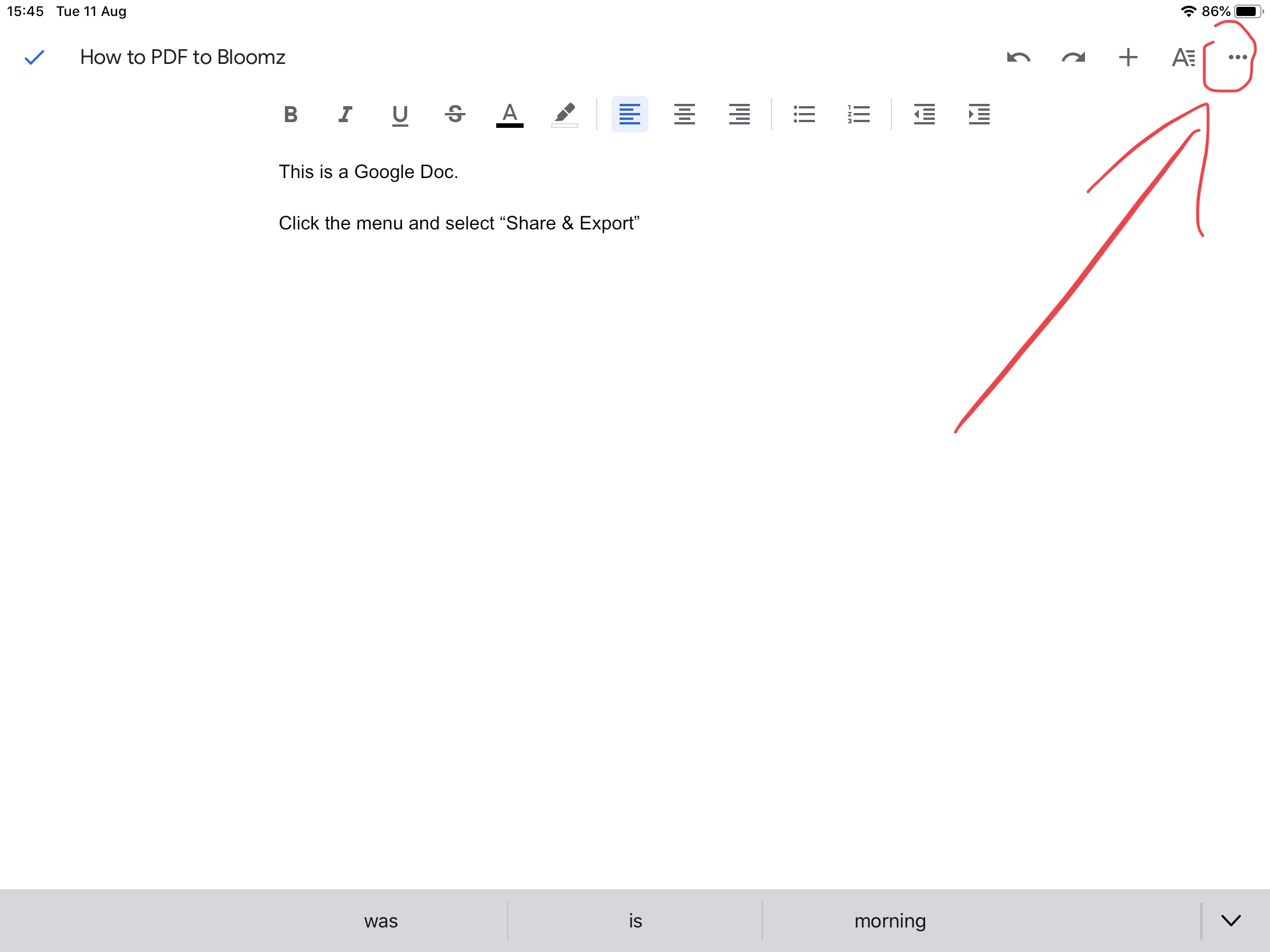
Step 1: In a Google Doc, Sheet or Slide Click the menu button
Step 2: Share & Export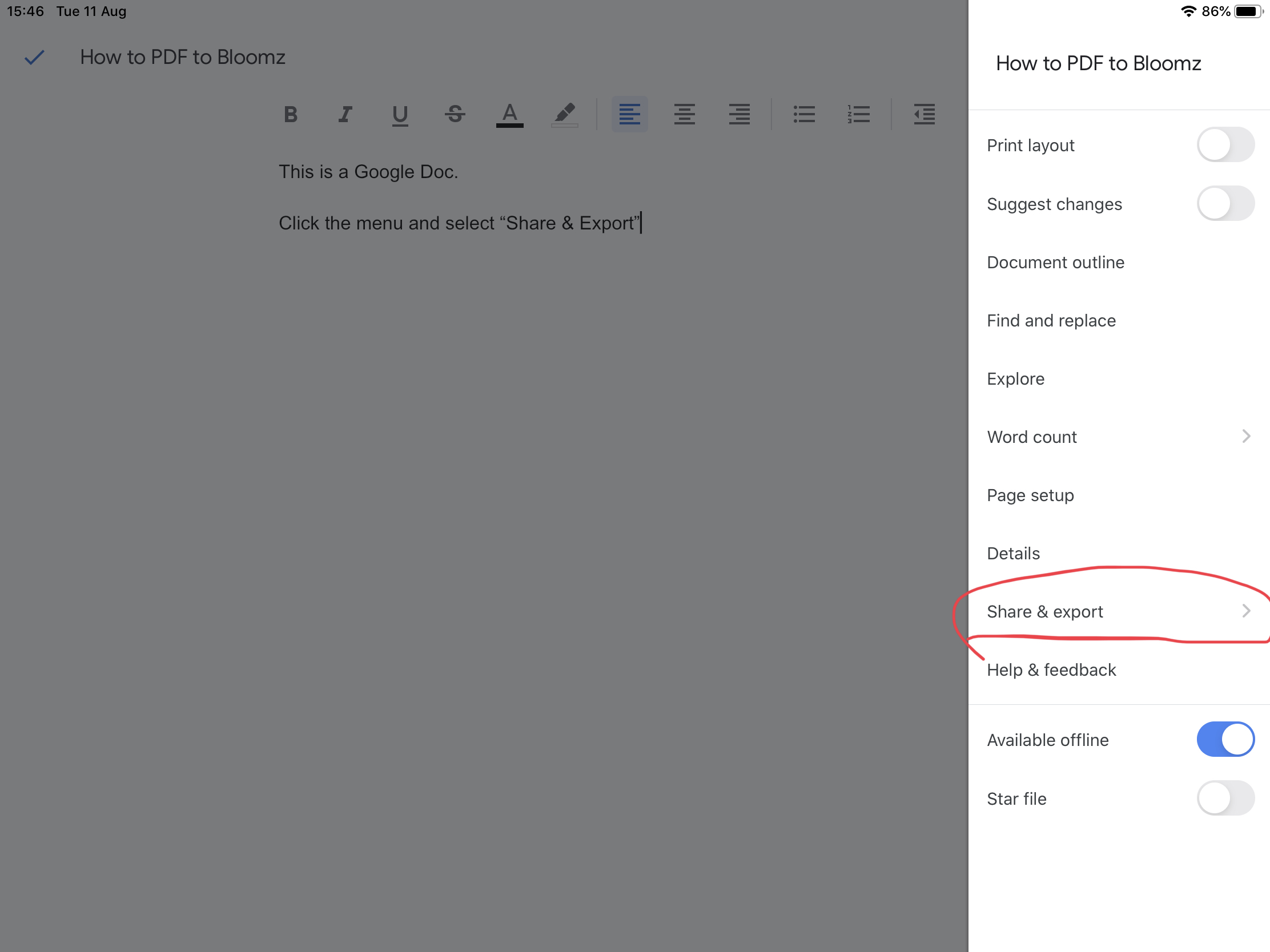
Step 3: Send a Copy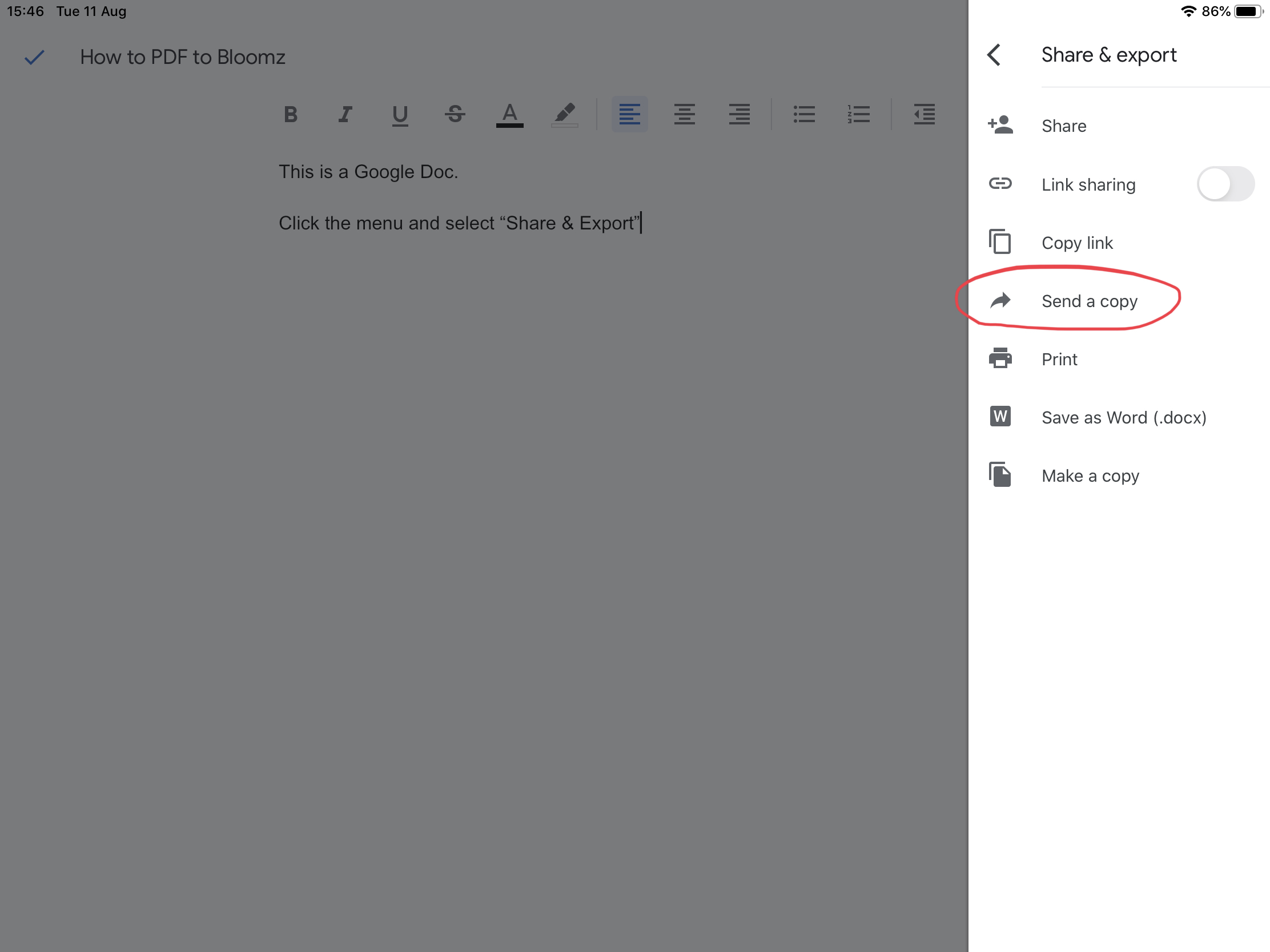
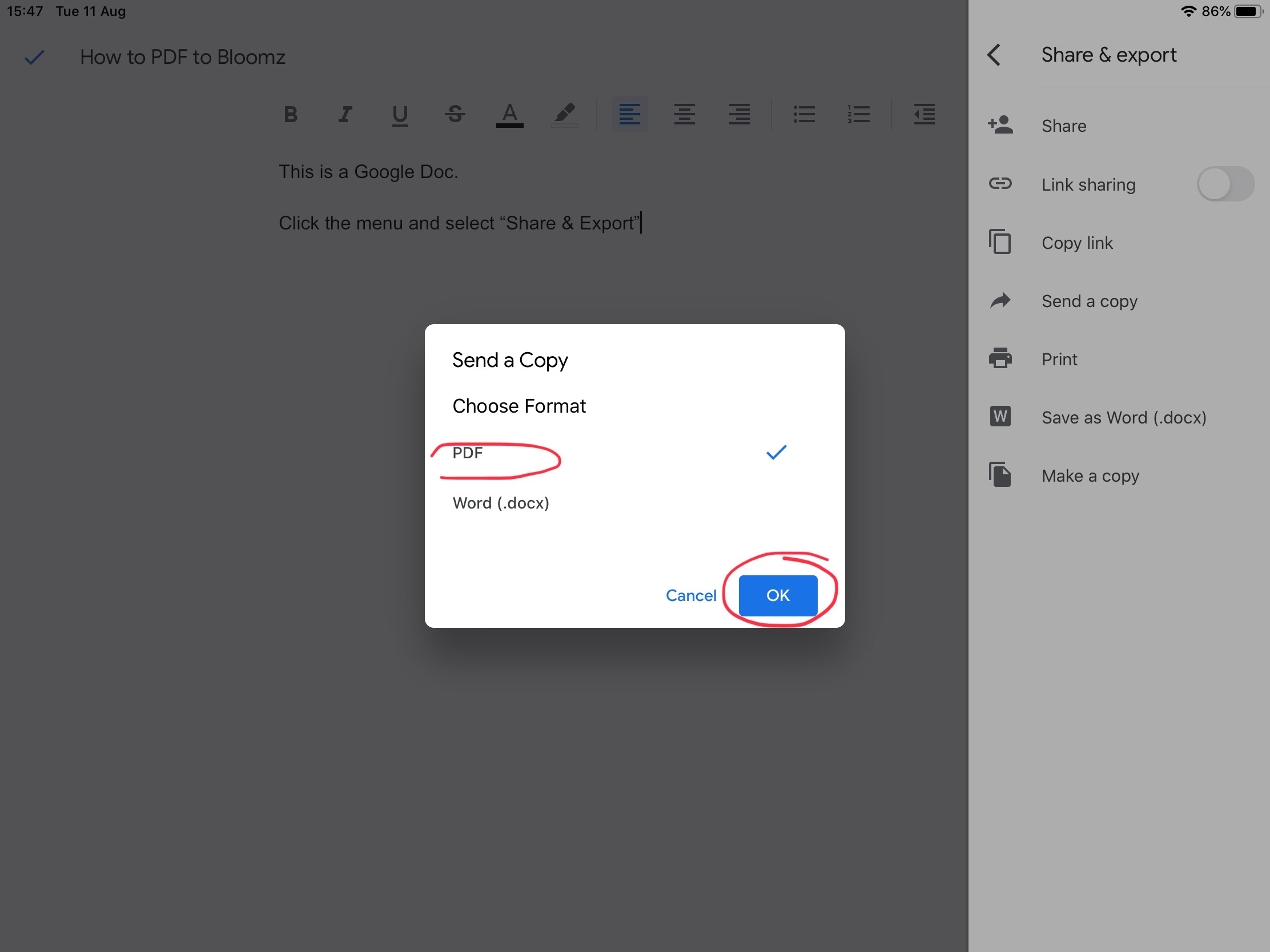
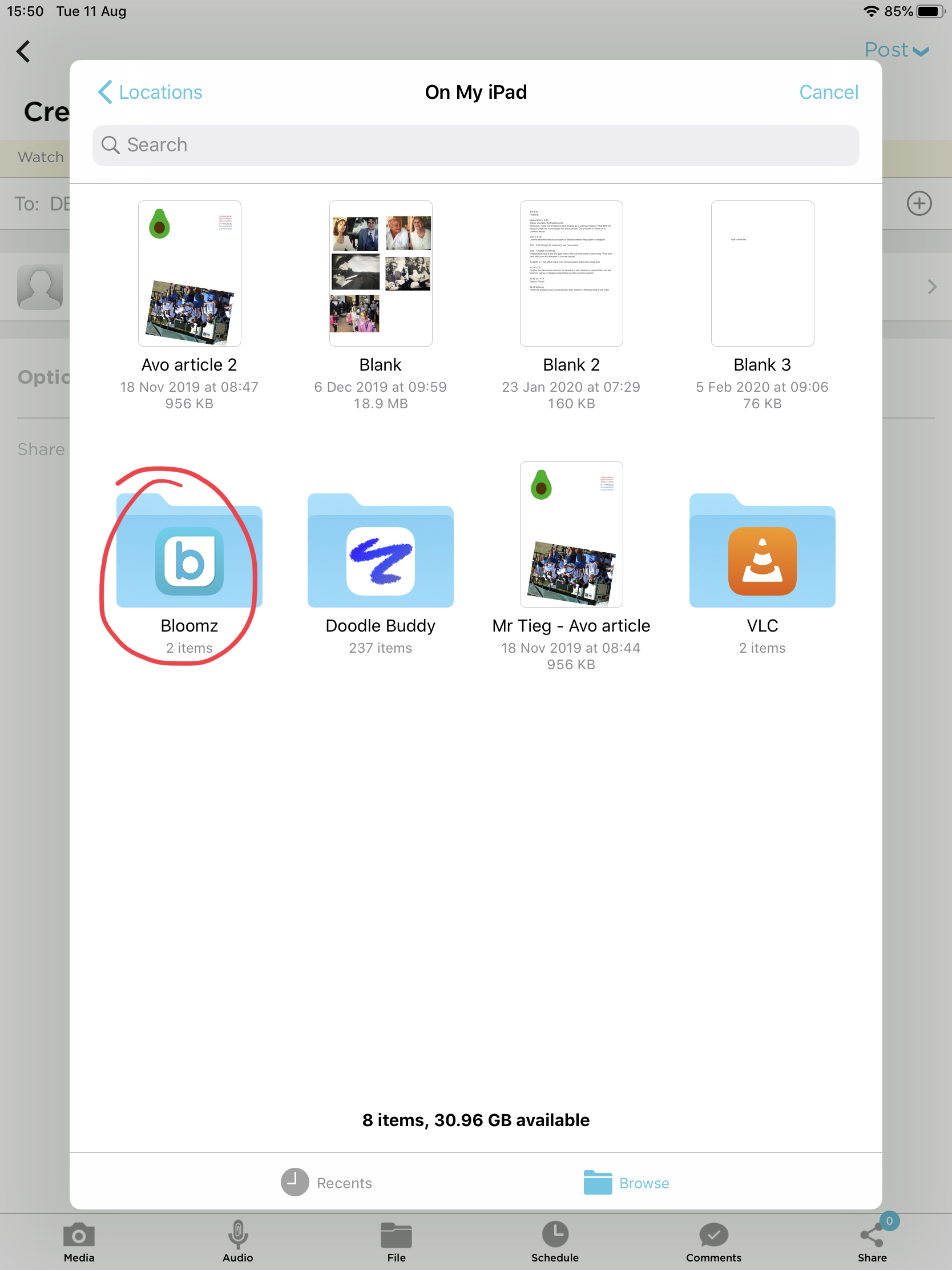
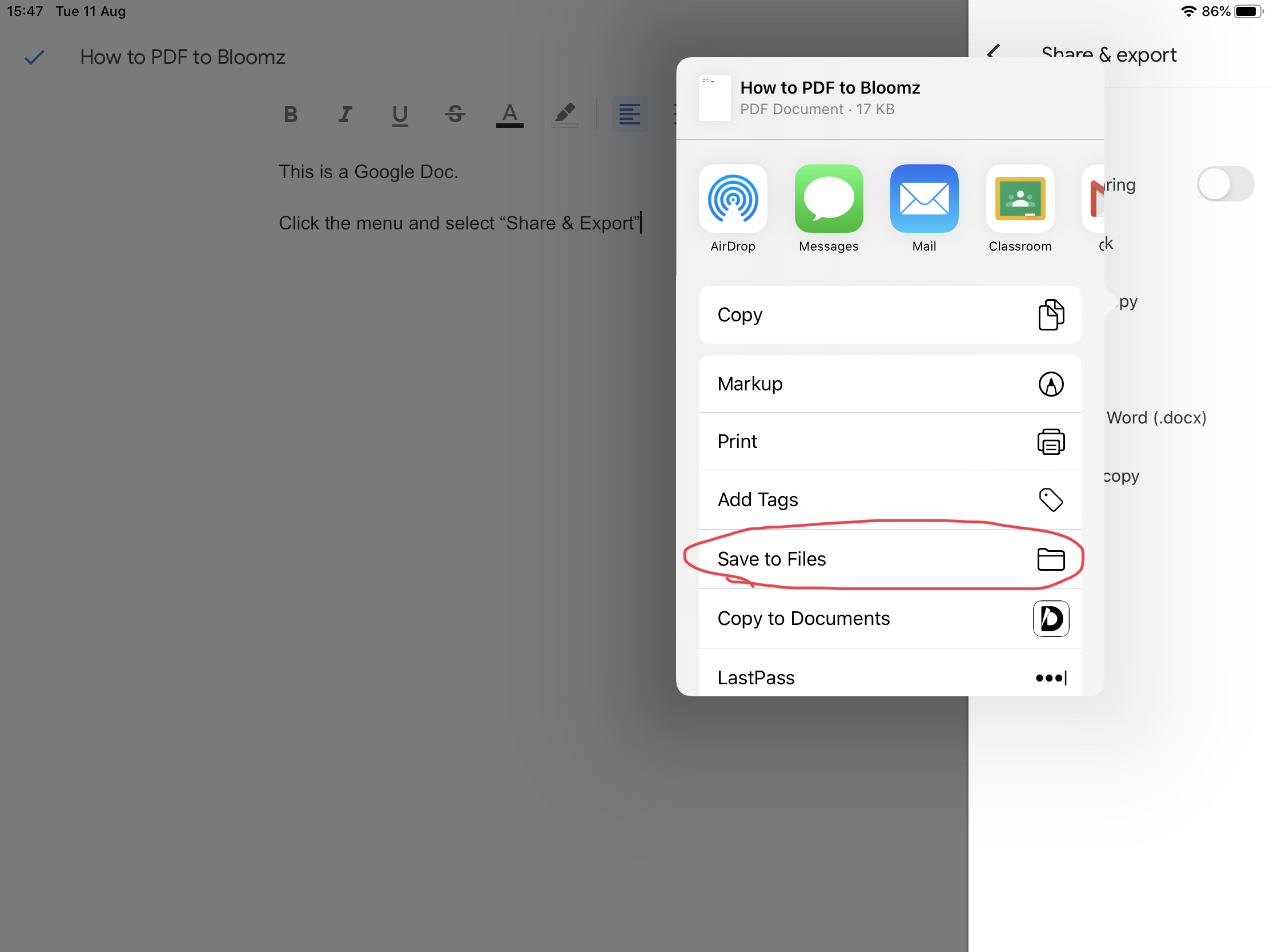
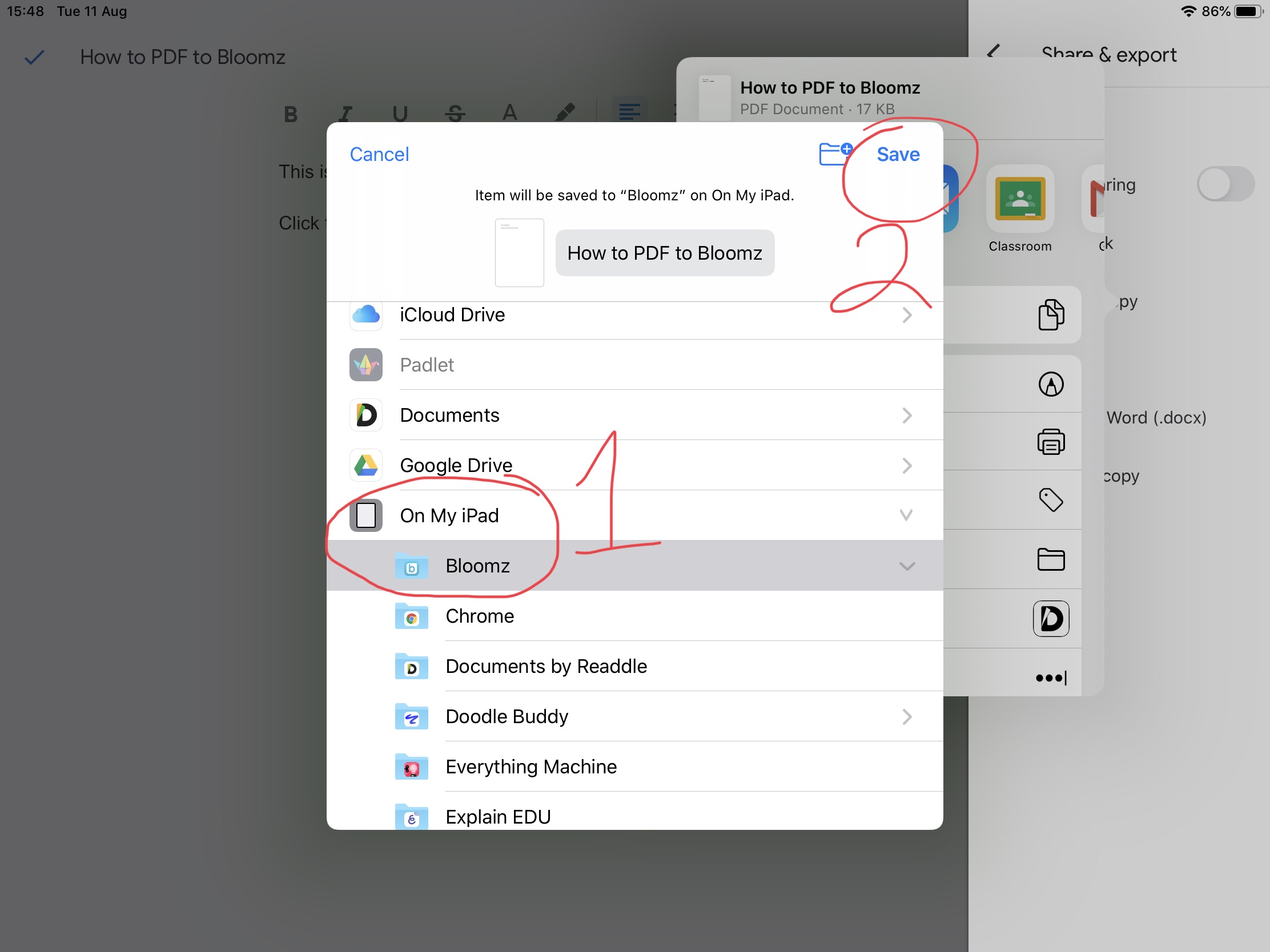
Step 4: Save the PDF to your iPad Bloomz Folder
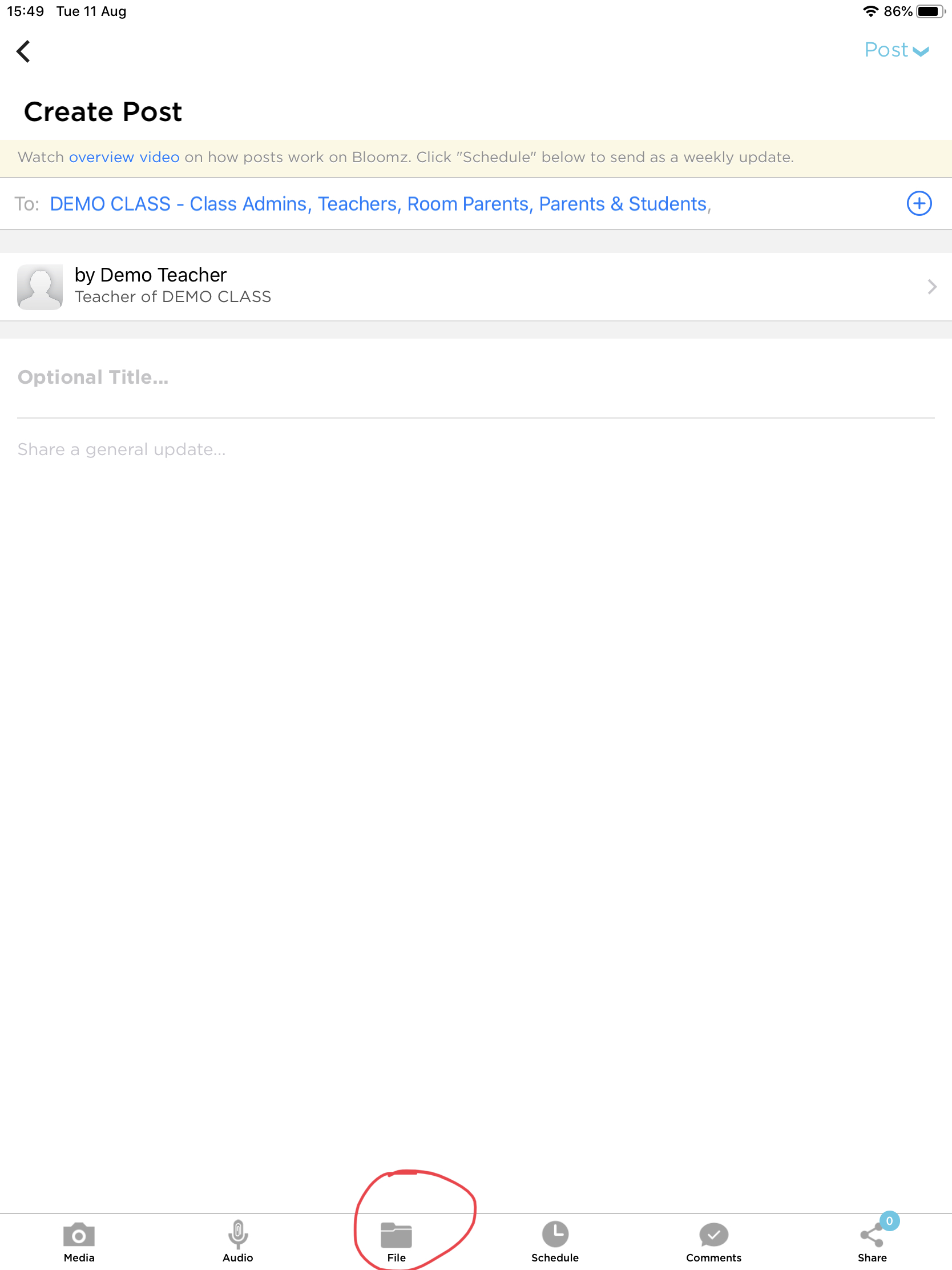
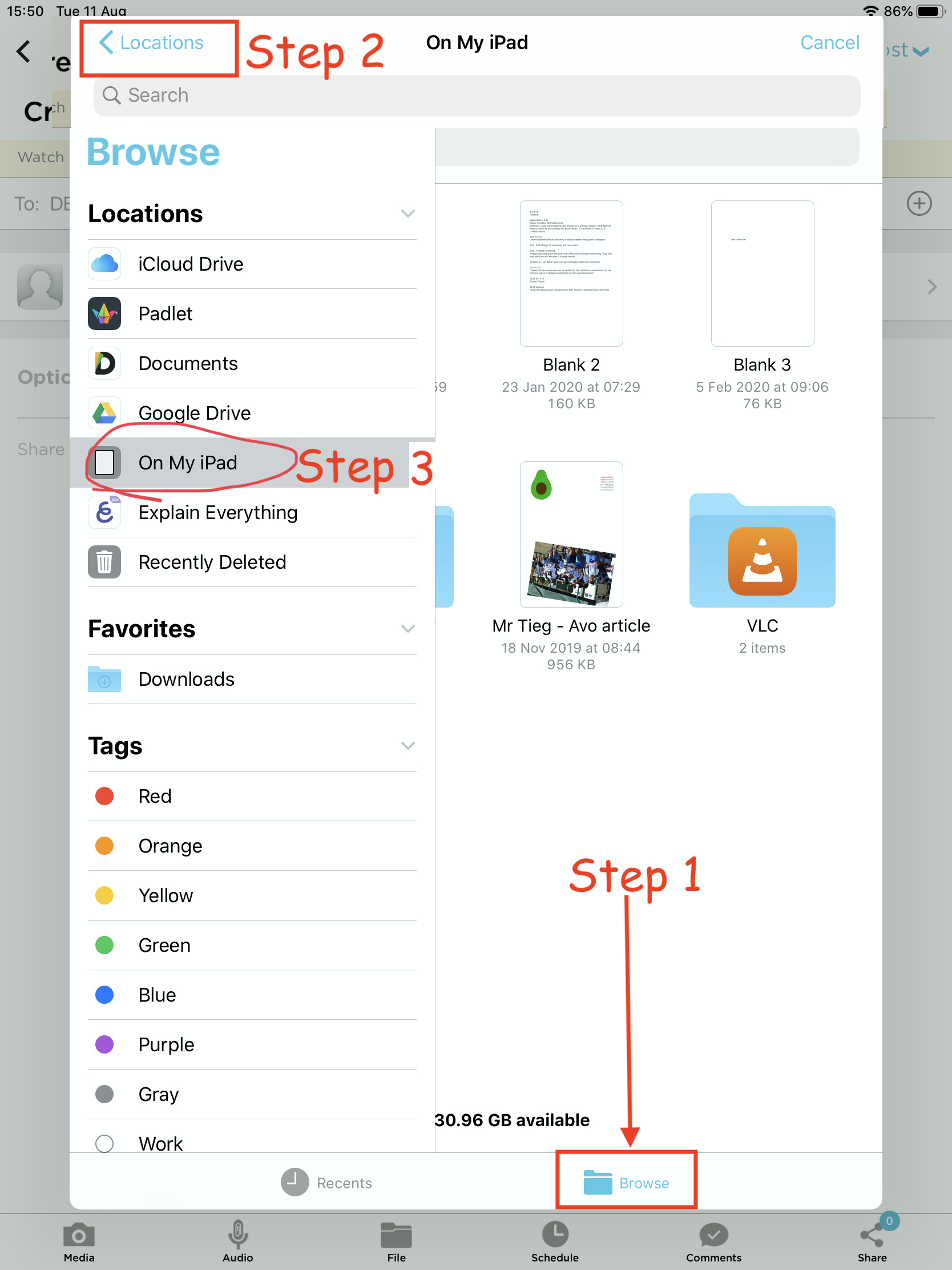
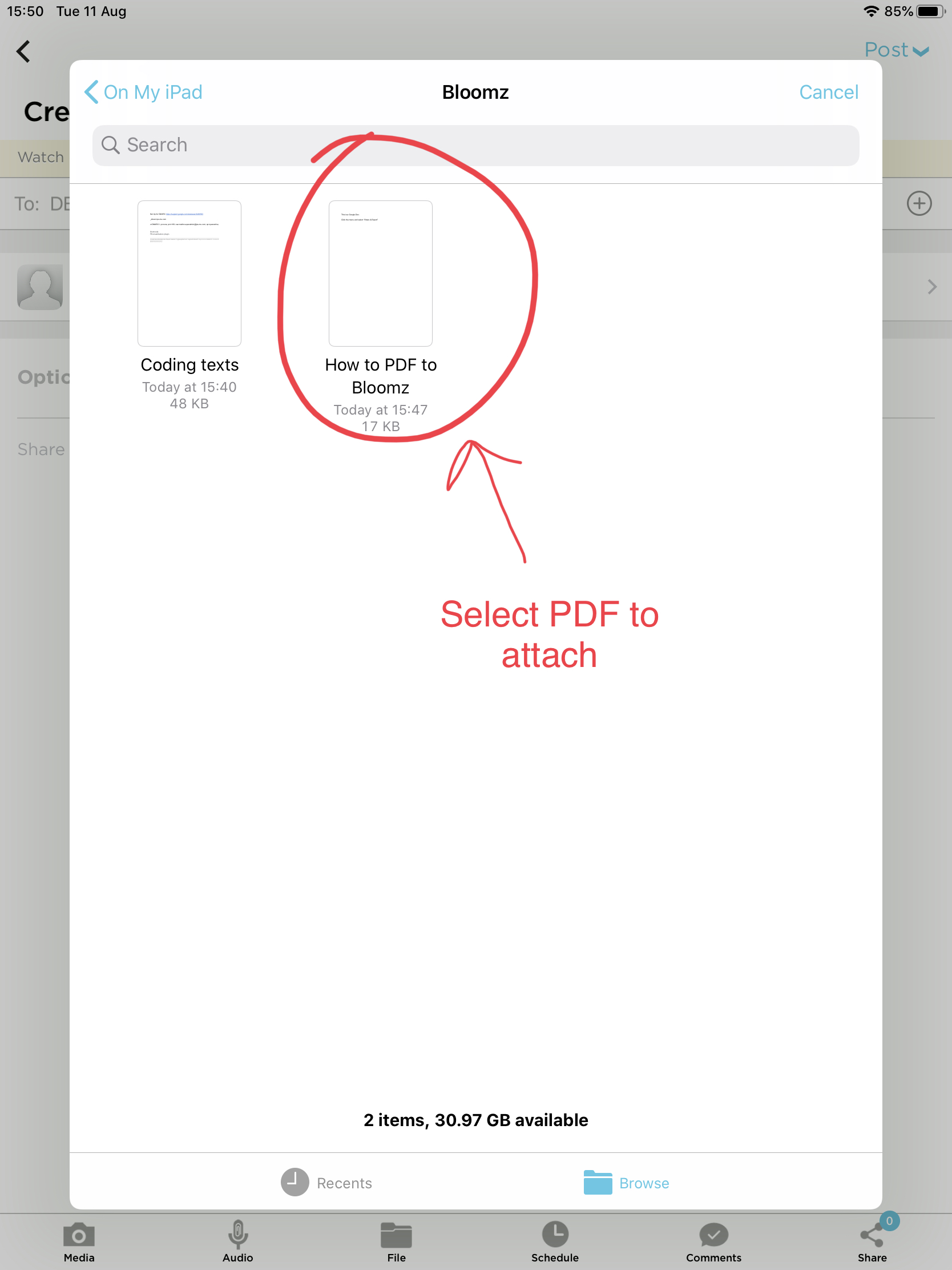
Step 5: Open the Bloomz app and create a post for your class. Attach a File to your post. Select the PDF you downloaded from your Google Drive to your iPad Bloomz Folder.